Our verdict
Who it's for: Creators who would rather answer a few multiple-choice questions than edit a timeline. Our two-sentence script became a 19-second captioned Short in under 7 minutes.
What it costs: The free plan has 20 credits, 720p downloads and a watermark. Pro is $21/mo billed yearly ($29 monthly). Our script Short used 18 credits.
The catch: The narration added a sentence we did not write. Our uploaded clip first exported with no sound and empty caption boxes, and the fix cost 29.8 more credits.
Test at a glance
- Plan
- Ultra
- Script to preview
- About 6 min 40 s
- Credits used
- 18 (script) · 101.4 (clip)
- Output
- 1080x1920, 30 fps, MP4
- Watermark
- None on Ultra
- Caption accuracy
- 0 of 118 words wrong (clip)
Paste your script and name the format in the same message
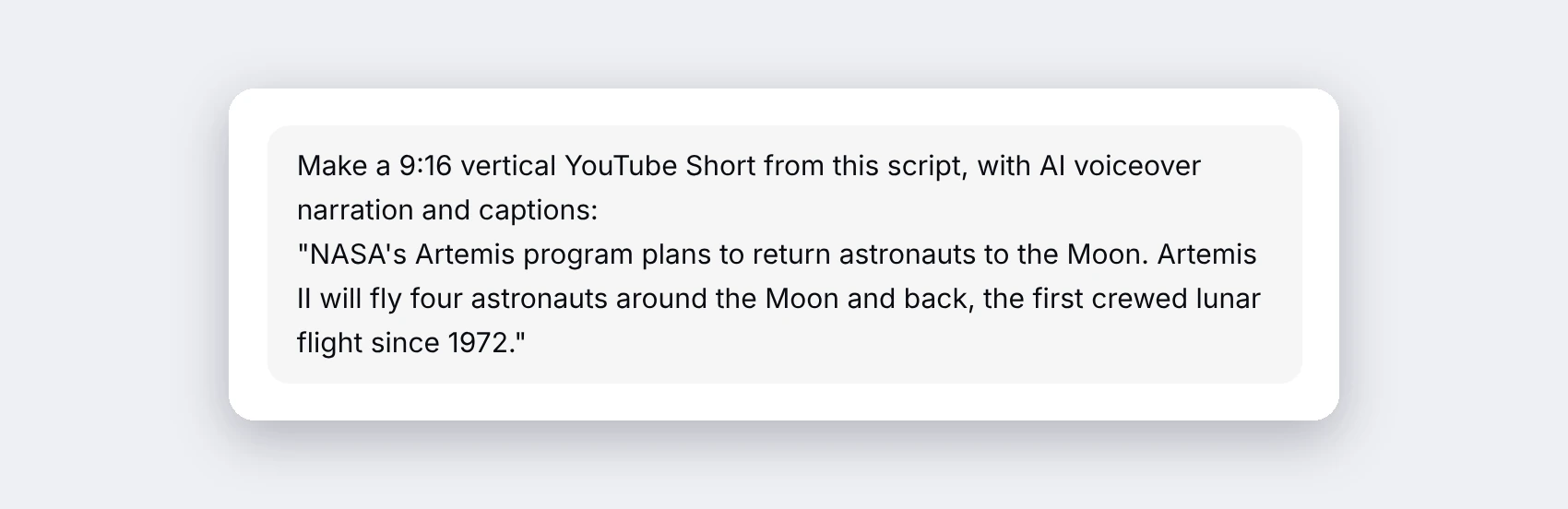
Open CutBay, click New Chat and put everything into your first message: the script, the 9:16 format, the voiceover and the captions. Asking for all of it at once means fewer questions later.
- Our message, word for word, is in the screenshot below.
- Press Enter to send. CutBay names the project for you; ours appeared as "NASA Artemis Program Short" in the Recent list on the left.
Our first reply stopped after one line ("Now let me record the user's script and set the sources...") and nothing changed for 3 minutes. We typed "Please continue and make the video." and it carried on.
Answer the question cards
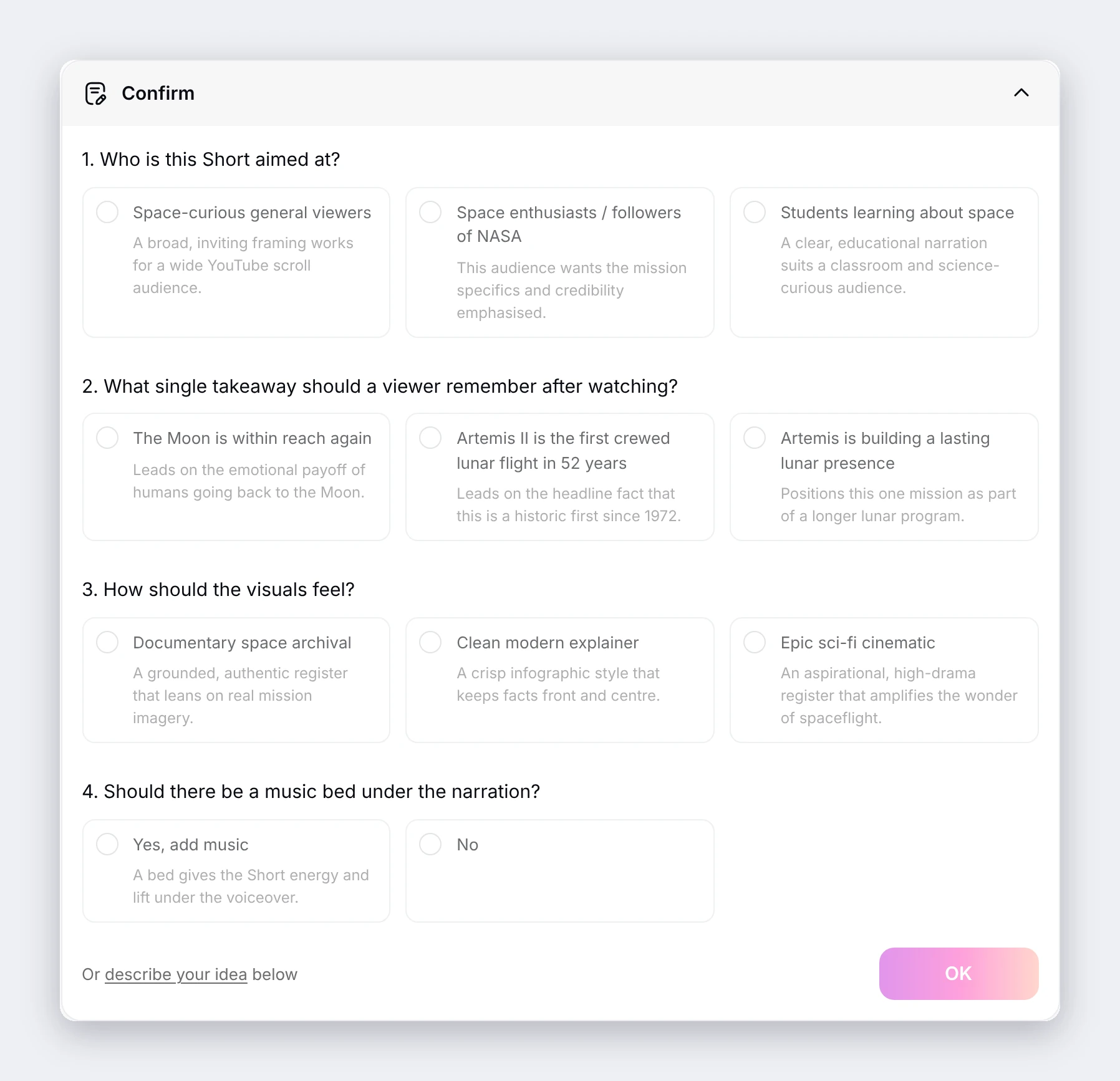
CutBay does not start building straight away. It first asks a short set of multiple-choice questions on cards, with a one-line reason under each option. Pick one answer per question and click OK, or type your own under "Or describe your idea below".
Our picks
- Audience
- Space-curious general viewers
- Takeaway
- First crewed lunar flight in 52 years
- Look
- Clean modern explainer
- Music
- Yes
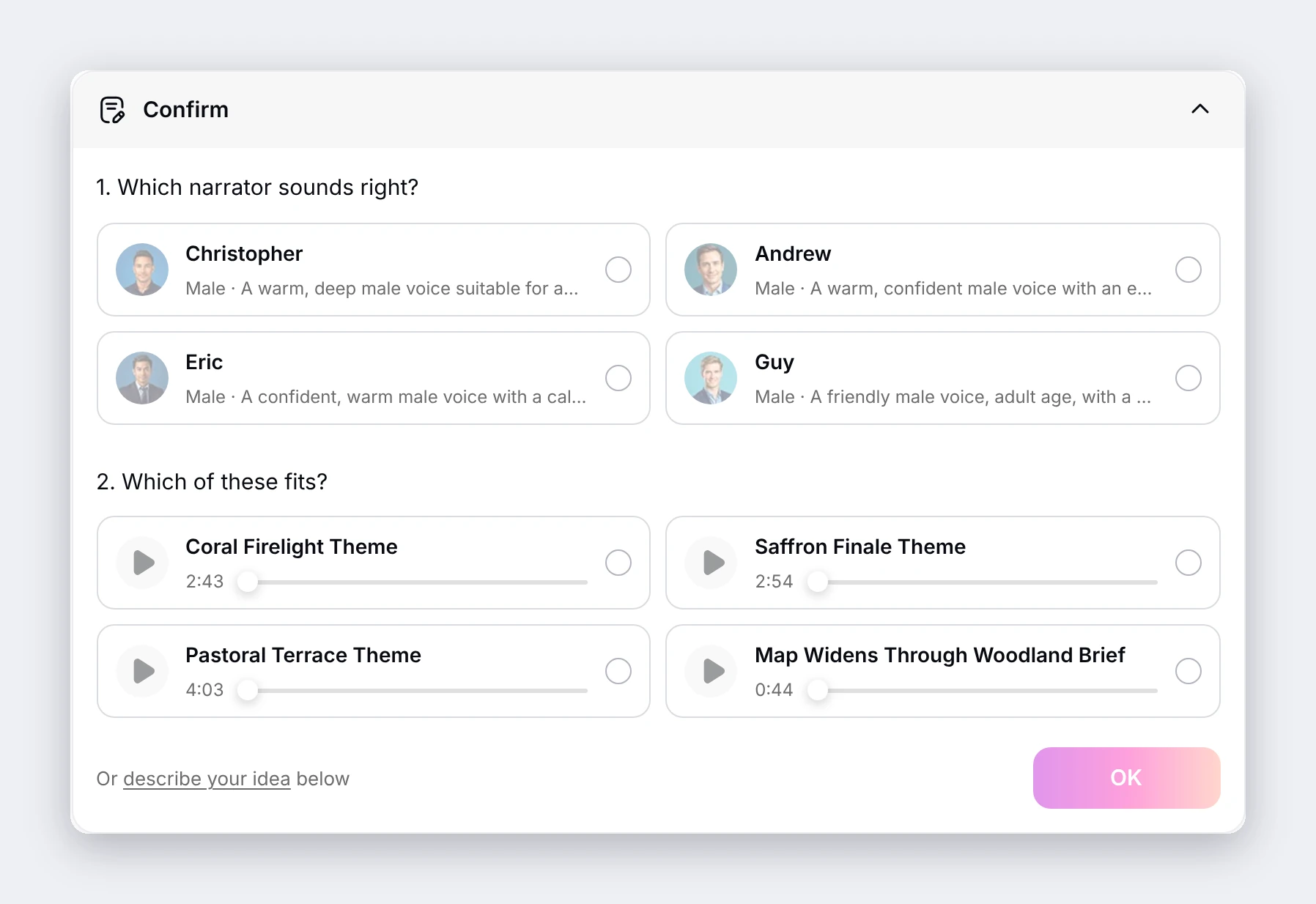
- Narrator
- Christopher (1 of 4 voices)
- Track
- Map Widens Through Woodland Brief, 0:44
- Visuals
- CutBay stock media
- Credits used
- Under 1
- Every narrator and track has a play button, so you can listen before choosing. "Refresh List" shows other options.
- The visuals question offers CutBay stock media, your own media or AI-generated images.
The questions are close to free: all of our back-and-forth used 0.3 credits (2,420 down to 2,419.7).
Read the brief before you click Confirm
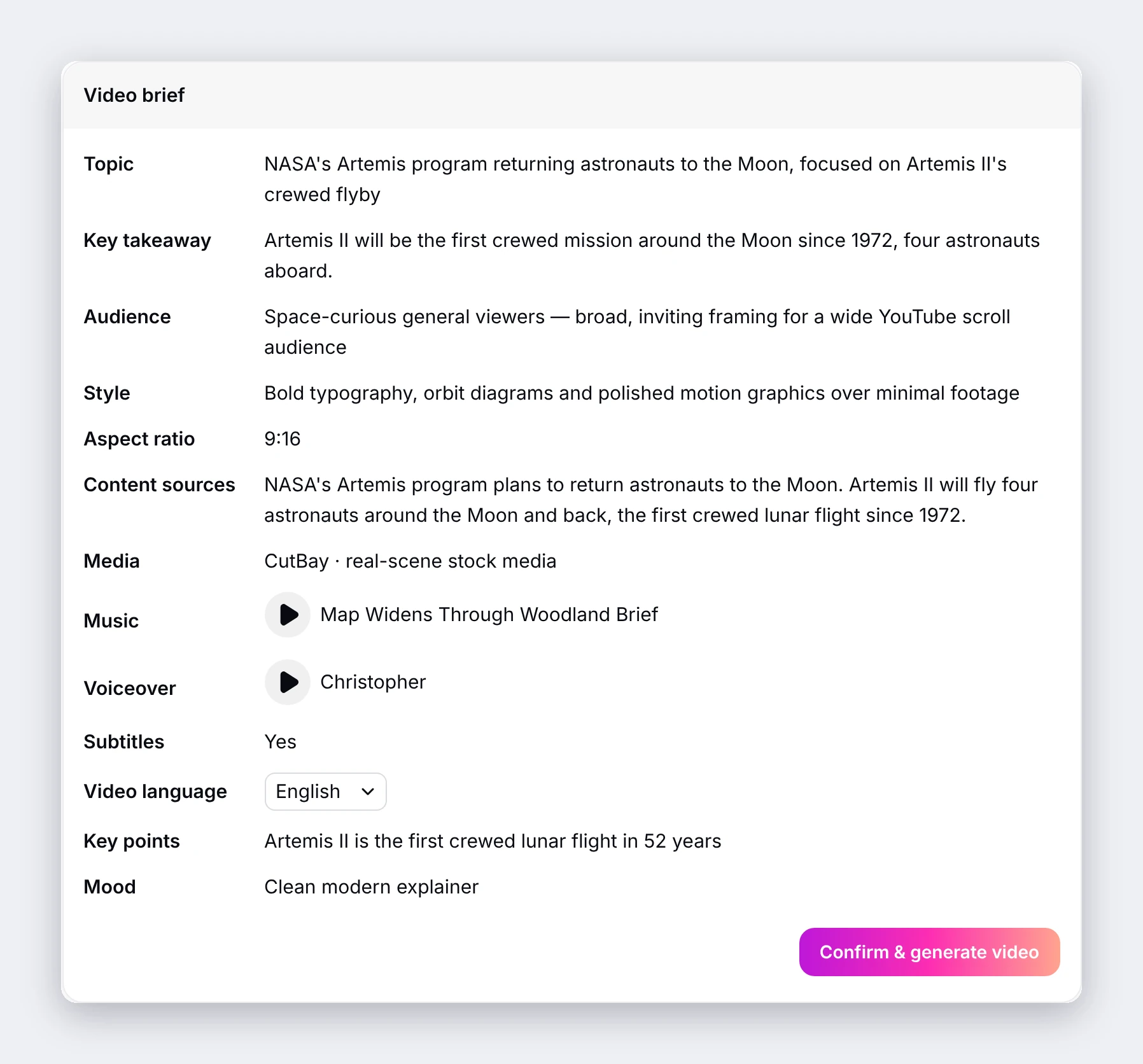
CutBay then shows a "Video brief" with every choice in one table: topic, key takeaway, audience, style, aspect ratio, your script as the content source, media, music, voiceover, subtitles, video language, key points and mood. Credits are spent when you click "Confirm & generate video", so this is the moment to fix anything.
- Check three lines: Aspect ratio 9:16, Subtitles Yes, and the voiceover name.
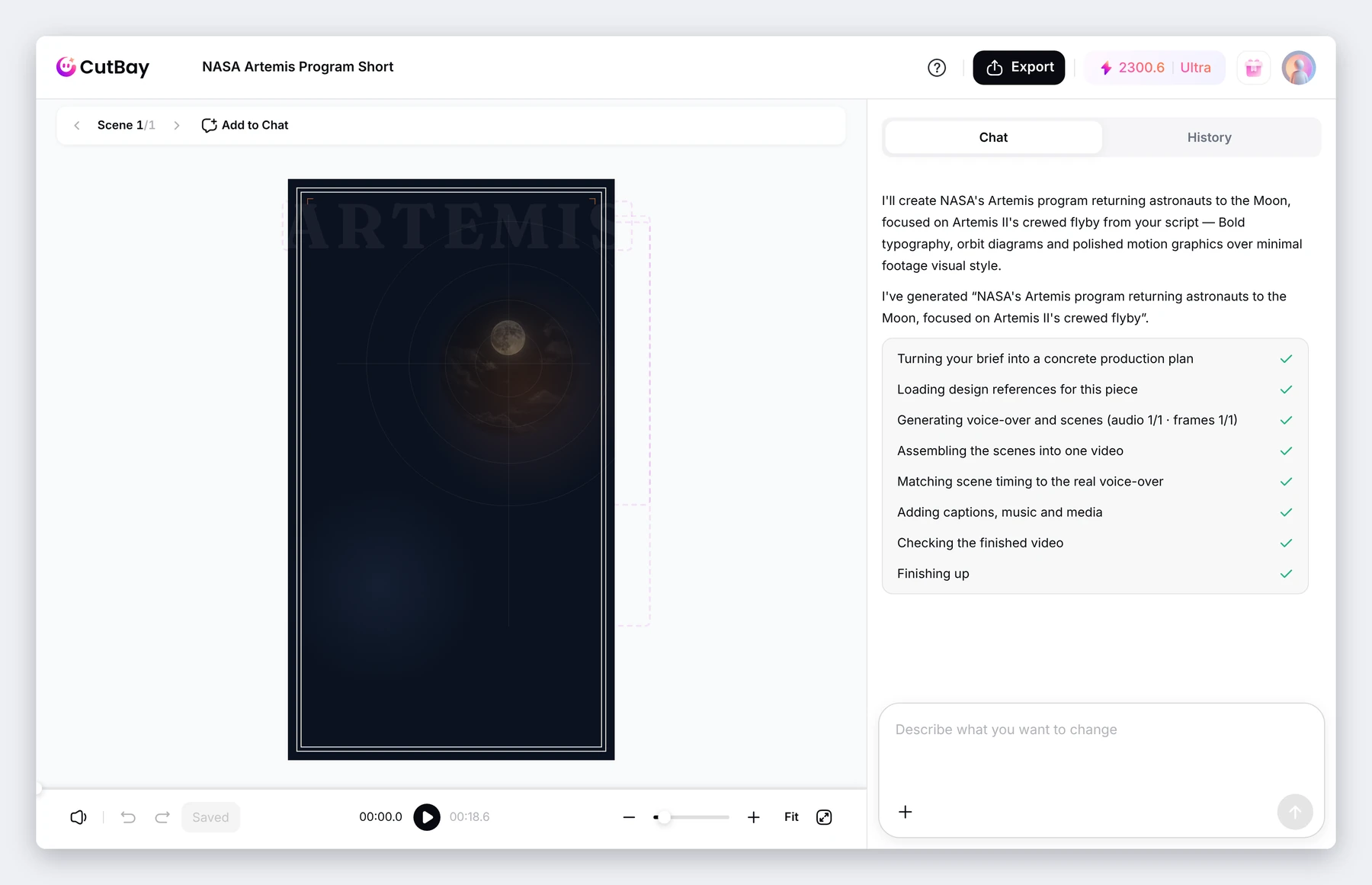
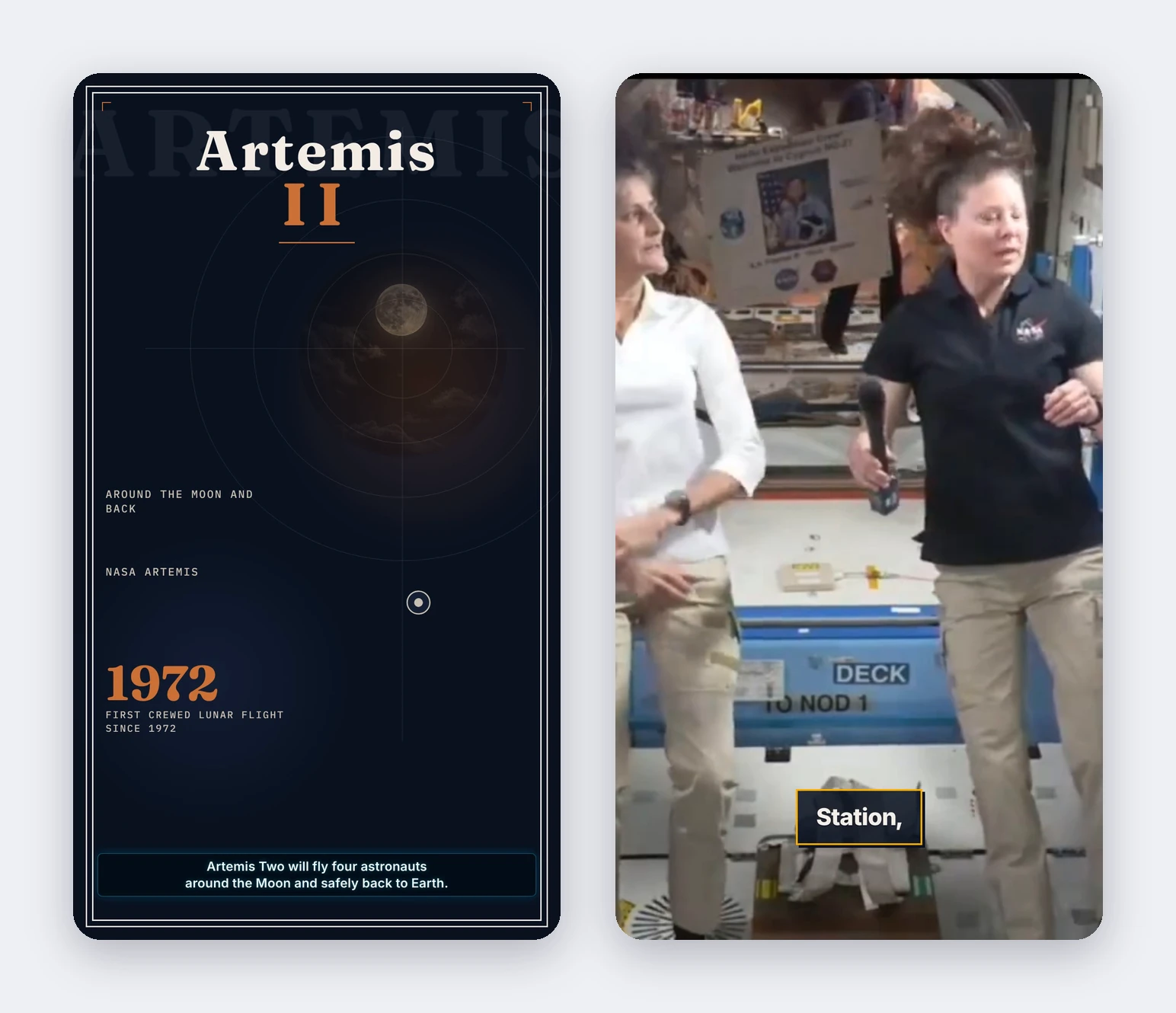
- Read the Style line too. Ours said "Bold typography, orbit diagrams and polished motion graphics over minimal footage". That is what we got: motion graphics and no stock footage, even though Media said stock media.
- CutBay did not show a scene-by-scene storyboard for our script. It said each script line would become a scene, so there was no plan to review.
If a line in the brief is wrong, type the change in the chat box before you confirm, rather than fixing it after the video is made.
Wait for the video, then check the narration against your script
After you click Confirm, a progress list runs through 8 stages, from "Turning your brief into a concrete production plan" to "Finishing up". Then compare the narration with your script line by line.
What came out
- Time to preview
- 6 min 40 s
- Length
- 18.6 seconds
- Credits used
- 18
- Captions
- Sentence at a time
- Sentence 1 was read word for word.
- Sentence 2 changed from "around the Moon and back" to "around the Moon and safely back to Earth".
- It added a line we did not write: "a historic mission that tests deep space travel and prepares the way for future landings". The captions matched the narration, so they carried the added line too.
Check every narrated line before you post. Facts added by the AI are your responsibility once the video is on your channel.
Export with the default settings
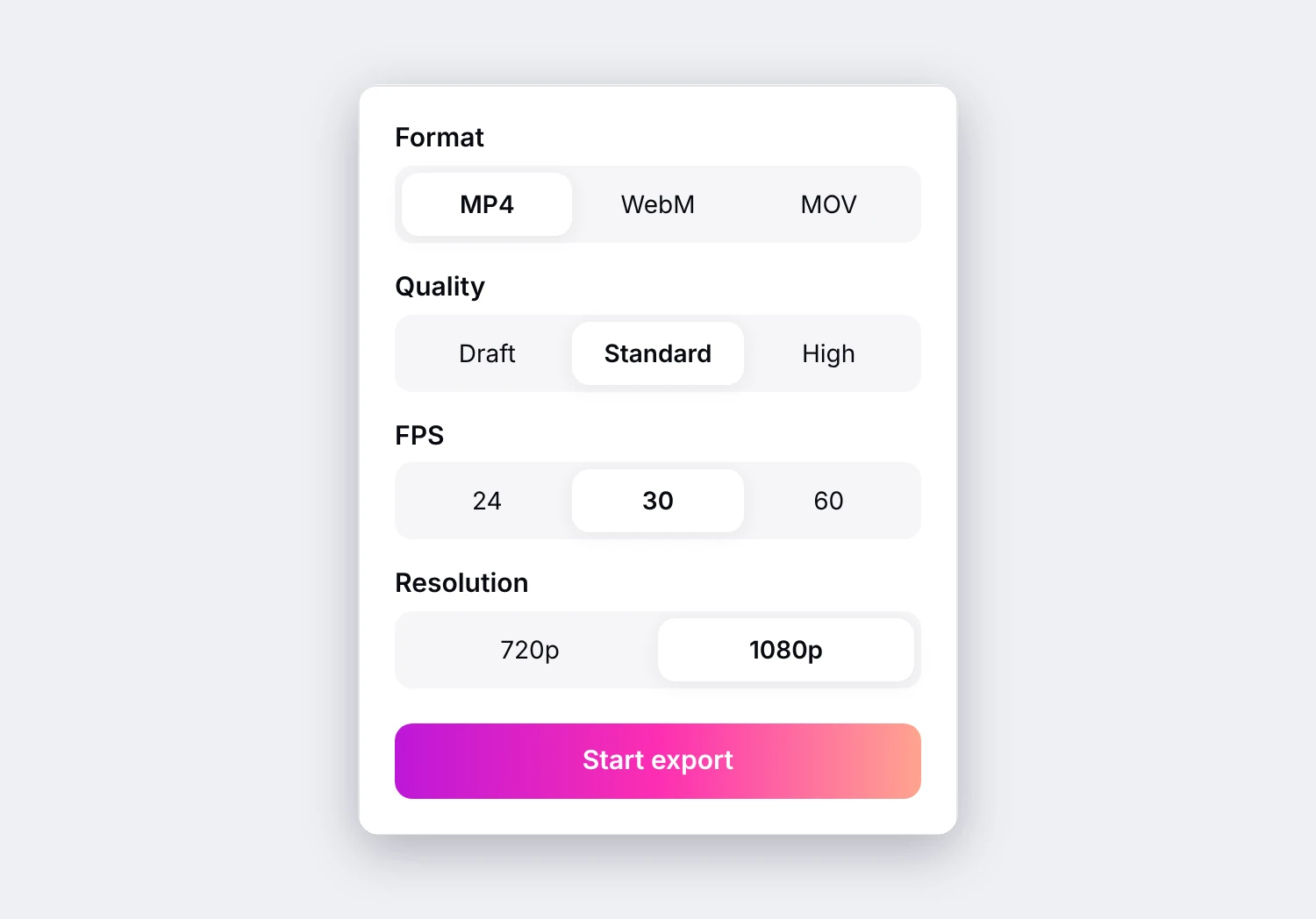
Click Export at the top of the editor. The panel has four settings, and the defaults suited a Short, so we kept them.
Export settings and result
- Format
- MP4
- Quality
- Standard
- Frame rate
- 30 fps
- Resolution
- 1080p (1080x1920)
- Render and download
- 70 seconds
- File
- H.264 + AAC, 1.6 MB
- Watermark
- None on Ultra
- Credits used
- 0
- The other options are WebM or MOV, Draft or High quality, and 24 or 60 fps.
- To find a video later, open Projects in the left menu. Reopening the old chat link shows the brief again, not the editor.
Captioning your own clip: upload it inside the chat
For the second test we used a 60-second public-domain NASA clip (two astronauts on the space station, 1280x720). Start a new chat, describe what you want, and attach the file through the "Upload your media" button CutBay shows in its reply.
Turn this NASA clip into a 9:16 vertical YouTube Short with word-by-word captions. Keep the original speech; do not add a voiceover.
What came out
- Time to video
- About 5 minutes
- Scenes
- 7
- Length
- 60 seconds
- Credits used
- 71.6 + 29.8 for the fix
- It described the clip correctly: a Society of Women Engineers call with Suni Williams on the space station.
- One card asked about music (we said No) and the look (we picked "Bold motion-caption short").
- Our first export had no sound and empty caption boxes. A second export in another browser gave the same result.
We typed into the editor box: "The exported MP4 has no sound and the caption boxes are empty. Please keep the original speech audio from my clip and show word-by-word captions of what the astronauts say." About 100 seconds and 29.8 credits later, the new export had the original speech and word-by-word captions. All 118 words were right, including the names Roth, Doty and Suni.
Decide between the free plan and a paid plan
CutBay charges in credits. The free plan gives 20 credits, which CutBay calls about 1 video, and our script Short alone used 18.
- At our test's rates, 500 Pro credits cover about 27 script Shorts like ours, or 4 uploaded clips like our 60-second one with its fix (101.4 credits each).
| Plan | Price | Credits | Download | Watermark |
|---|---|---|---|---|
| Free | $0 | 10 | 720p | Yes |
| Pro | $21/mo billed yearly ($29 monthly) | 500 a month | 1080p | No |
| Ultra | $49/mo billed yearly ($69 monthly) | 1,400 a month | 1080p | No |
Prices from cutbay.ai/pricing on October 30, 2026.
When to use something else
Our script came back as motion graphics with no footage. If you want a scene for each sentence from a stock library, compare the tools on our Pictory alternatives page.
CutBay gave us 4 narrators per list. For more voice choice and our same-script voice test, see AI voices for faceless videos.
CutBay's captions were word-perfect after the fix, but it took two tries and 101.4 credits. A captioning tool is simpler for that job: see our auto-caption apps test, where ZapCap captioned the same clip in about 22 seconds.
Common mistakes
Ours gained a sentence about deep space travel that was not in the script.
Open the downloaded MP4 before you post. Our first clip export had no sound track.
Our script video followed the Style line instead: motion graphics, no footage.
The chat link reopened the brief. The editor is under Projects.
Your checklist
0 / 6 donePut it into practice
Tools: CutBay · AI video and faceless tools · Auto-caption apps we tested
Workflow: Run a faceless Shorts channel without showing your face.